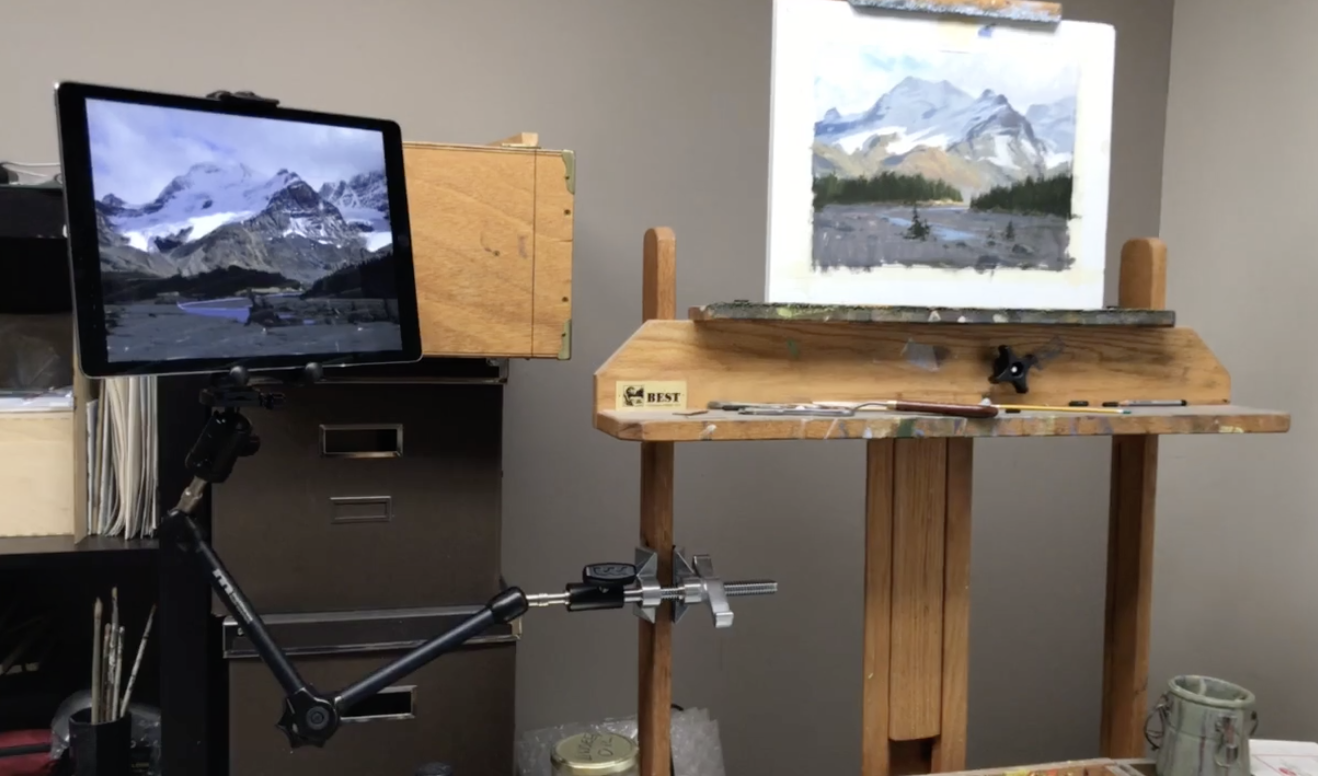
In this studio setup, I use a clamped articulating arm to hold my iPad beside the easel as a reference display. The advantage is being able to reposition the screen instead of balancing it on an improvised support.
Move the reference where it is useful
I demonstrate the range of movement by bringing the tablet into different positions and showing the back of the holder. In the recording, the clamp is attached to the easel. The arm gives me flexibility in how I place the reference relative to the painting.
See how the parts work together
The setup shown includes a clamp, adjustable arm, ball head, connecting hardware, and tablet holder. I use an iPad Pro in this video and discuss holders for other tablet sizes. The holder and its connection are part of the arrangement, rather than the arm supporting a bare tablet directly.
Think of the support separately from the tablet
One reason I like this approach is that the support is a studio tool in its own right. The tablet may eventually be replaced while the arm remains useful with an appropriate holder. This video documents the arrangement I used in the recording; it is a visual explanation of the support and its movement, rather than instructions for connecting an iPad as a second computer screen.
For a related lesson, see keeping small painting studies.